Published: Oct 15, 2026
Workstation ergonomics step by step: set up your desk, chair, and monitor to hurt less
Workstation ergonomics sounds like a topic for a boring training session, but in practice, it's twenty minutes at your own desk that will save you weeks of tension in your neck and shoulders. In this guide, I show step by step how to set up your desk and chair, where to place the monitor, and how to sit at the computer. Without theory that you'll forget after two days anyway. I've been setting up such workstations for years, and I know one thing: most problems don't come from expensive equipment someone lacks. They come from three things set up "by eye". Let's start from the bottom, because your entire posture is built from the floor up.

Paweł Wieczorek · 5 min read
Chair: the foundation you start with
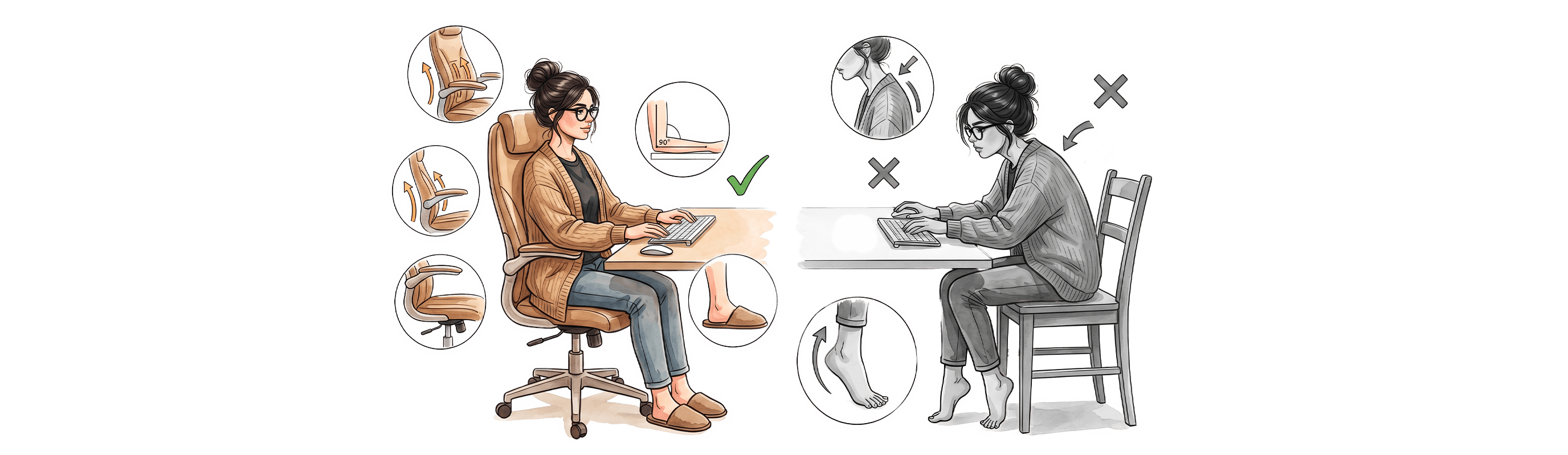
First, the seat height. Sit deep, rest your back, and adjust the chair so that your feet rest flat on the floor, and your thighs are roughly parallel to the ground. If your feet dangle or you're on your tiptoes, the chair is too high, and if you can't reach comfortably, add a footrest. That's the advice of the Canadian institute CCOHS, and this is the starting point from which everything else falls into place.
Now elbows. When you place your hands on the keyboard, your elbow angle should be about 90 to 110 degrees, and your forearms should lie horizontally. Raise the armrests just enough to lightly touch the underside of your elbows without pushing your shoulders up. Adjust the backrest to fit the natural curve in your lower back. That's five minutes of adjustment that people most often skip.
The most common mistake I see at first glance at someone's desk: someone raises the chair to reach a desktop that's too high, losing contact between their feet and the floor. Then the legs look for support anyway, and the tension travels to the back.
Desk and keyboard: keep everything close to your body
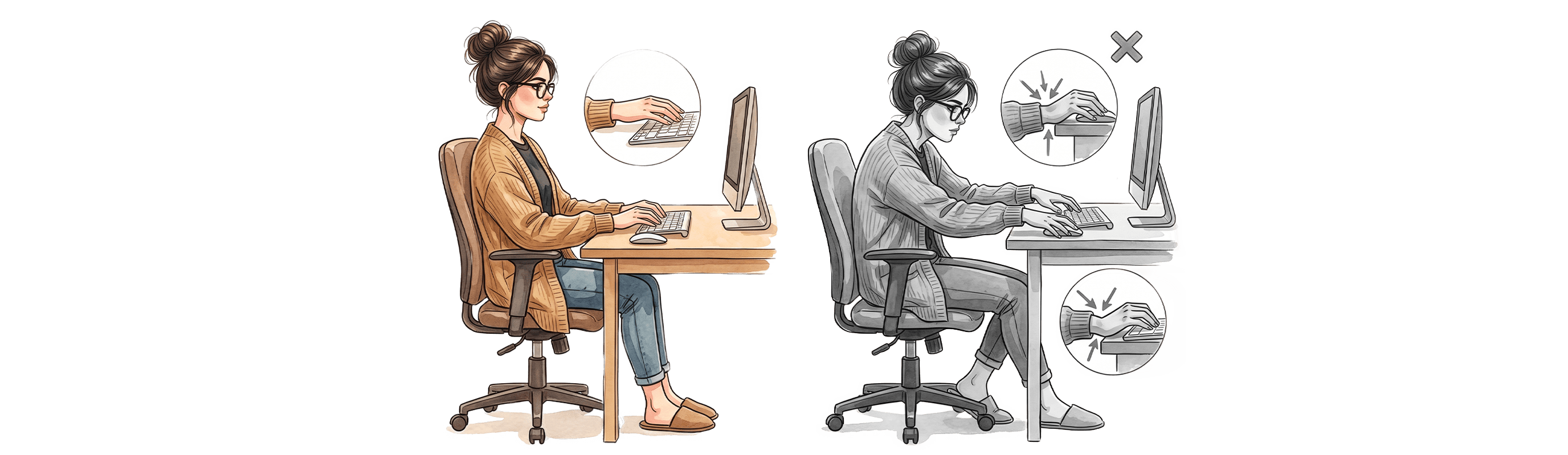
You adjust the desk height to the already adjusted chair, not the other way around. The keyboard should be at a height where your shoulders remain relaxed and your wrists are in a neutral position—that is, in line with your forearms, without bending up or down.
Keep your keyboard and mouse close, right in front of you. CCOHS recommends keeping your elbows close to your torso so you don't have to reach out to the sides or forward. Every reach for a mouse placed half a meter away means dozens of small shoulder strains throughout the day.
When typing, do not rest your wrists on the desk. Pressure on the wrist during prolonged typing contributes to discomfort, so treat the wrist rest as a resting spot during breaks, not as continuous support. A small detail, but it makes a difference after a few hours.
Monitor placement: where the top edge of the screen should be

This question comes up most often, so here are the specifics. The top edge of the screen should be at eye level or slightly below, and the center of the monitor about 15 to 20 degrees below the horizontal line of sight. This is according to the American OSHA guidelines for computer workstations. This way, you look slightly downward, and your neck stays in a natural, relaxed position.
Distance from your eyes. OSHA gives a range of 50 to 100 cm, and the Polish CIOP-PIB indicates about 60 cm as a practical value for a typical monitor. The simplest way: extend your arm in front of you; the screen should be roughly at your fingertips or slightly further. Place the monitor directly in front of you, not angled to the side, to avoid twisting your neck.
If you work on a laptop, its design forces your head to tilt forward because the screen is low. A laptop stand plus a separate keyboard and mouse solve this in five minutes. I've had it set up like this for years, and I can't imagine going back.
How to sit at a computer, or the best posture is the next posture
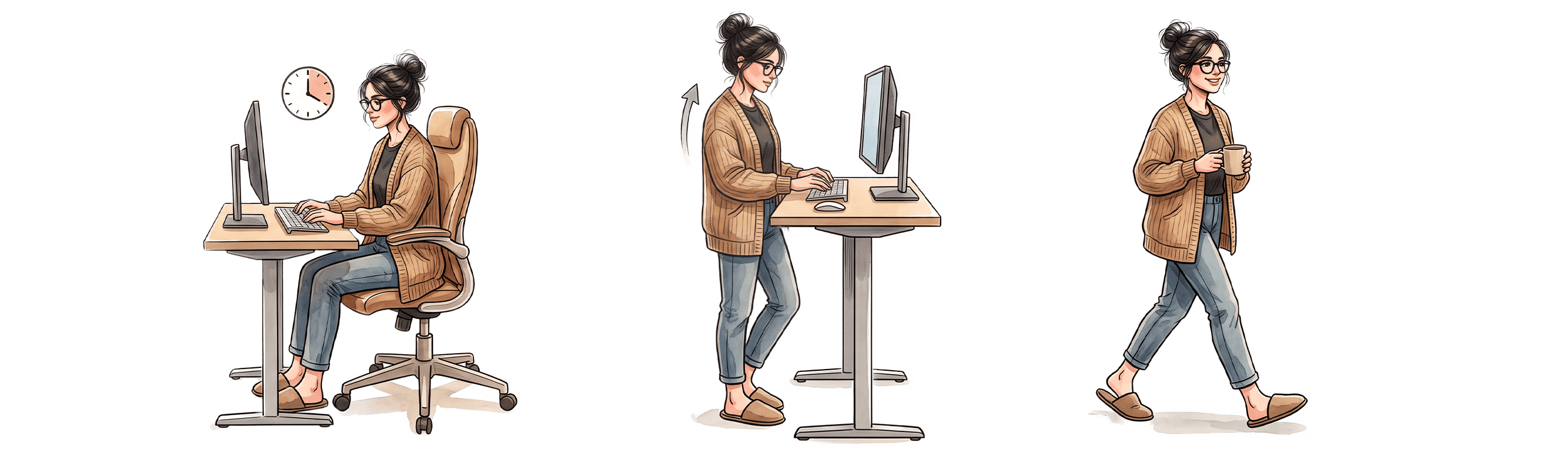
Here's the core point that rarely gets mentioned in OHS training. Even a perfectly set up workstation won't help if you spend six hours in it without moving. The European agency EU-OSHA points out that continuous sitting should not exceed two hours, and it's best to change posture and stand up every 20 to 30 minutes.
The reason is simple: the body hates stillness, no matter how correct the posture is. That's why the best posture is the next posture. Shift in your chair, get up for water, read an email while standing. The World Health Organization in its 2020 guidelines recommends adults limit sedentary time and replace it with physical activity of any intensity, even light.
And one more Polish regulation, because it's simply your right. The 1998 regulation on working with visual display units gives the employee at least a 5-minute break included in working time after every hour of screen work. It's not a privilege; it's a binding regulation.
Adjusting the chair alone sets up your body. Only movement keeps it comfortable. One doesn't work without the other, and that's precisely why workstation ergonomics alone is only half the puzzle.
Quick checklist to get started
Go through it once, calmly, at your own desk:

FAQ
- At what height should you set the monitor?
The top edge of the screen at eye level or slightly below, center of the monitor about 15 to 20 degrees below the horizontal line of sight (according to OSHA). Then you look slightly downward, and your neck stays relaxed.
- What is the correct distance from the monitor?
OSHA gives 50 to 100 cm, while CIOP-PIB indicates about 60 cm as a practical value. A quick check: an arm extended forward should roughly reach the screen.
- How often should you take breaks at the computer?
EU-OSHA recommends changing posture and standing up every 20 to 30 minutes and not exceeding two hours of continuous sitting. Polish regulations provide a minimum 5-minute break after every hour of screen work.
- Is an ergonomic chair enough to stop the pain?
Properly setting up the chair is the foundation, but it won't replace movement. The body reacts to stillness regardless of posture, which is why short active breaks are just as important as setting up your workstation.
Check out FIXme
At FIXme, we combine both elements: a well-adjusted workstation and short active breaks throughout the day, with camera-based motion verification that tells you whether you're doing the exercise correctly. Want to see how it works for your team? Check out FIXme free for 14 days!